Credentials and secrets
Your apps often need to talk to external systems: a payment provider, a CRM, an analytics service. Canvas gives you one place to store those credentials, decide which apps may use them, and keep the actual values out of everyone’s sight, including the AI that helps build your apps.
In the product, these external systems are called integrations. Builders browse and request them; a smaller group of people (your secrets managers) hold the real credentials and approve who gets access.
The ideas behind it
Section titled “The ideas behind it”- An integration is an external system (Stripe, Salesforce, your ERP) plus the credential fields it needs, each mapped to an environment variable.
- Values are write-only. Once you save a credential, no one can read it back, not through the interface, not through an export, and not the AI. The screen shows only whether a value is set, never the value itself. Values are encrypted at rest.
- Test data or production data, always labelled. Every integration carries a badge so it is obvious whether an app is touching test or live data.
- Separate test and production credentials, or one shared credential. You choose per integration (more on this below).
- Capabilities are an upper bound. Each integration records what its key is allowed to do (read, create, update, delete). A builder can be granted those operations or a subset, never more than the key itself permits.
Managing integrations requires the secrets manager permission. Executives and Org Admins have it, and they can delegate it to a trusted person. See Identity and access for how permissions are granted.
Setting up an integration
Section titled “Setting up an integration”As a secrets manager, open Integrations to see every integration in your organization, its data badge, and which ones are hidden from builders.
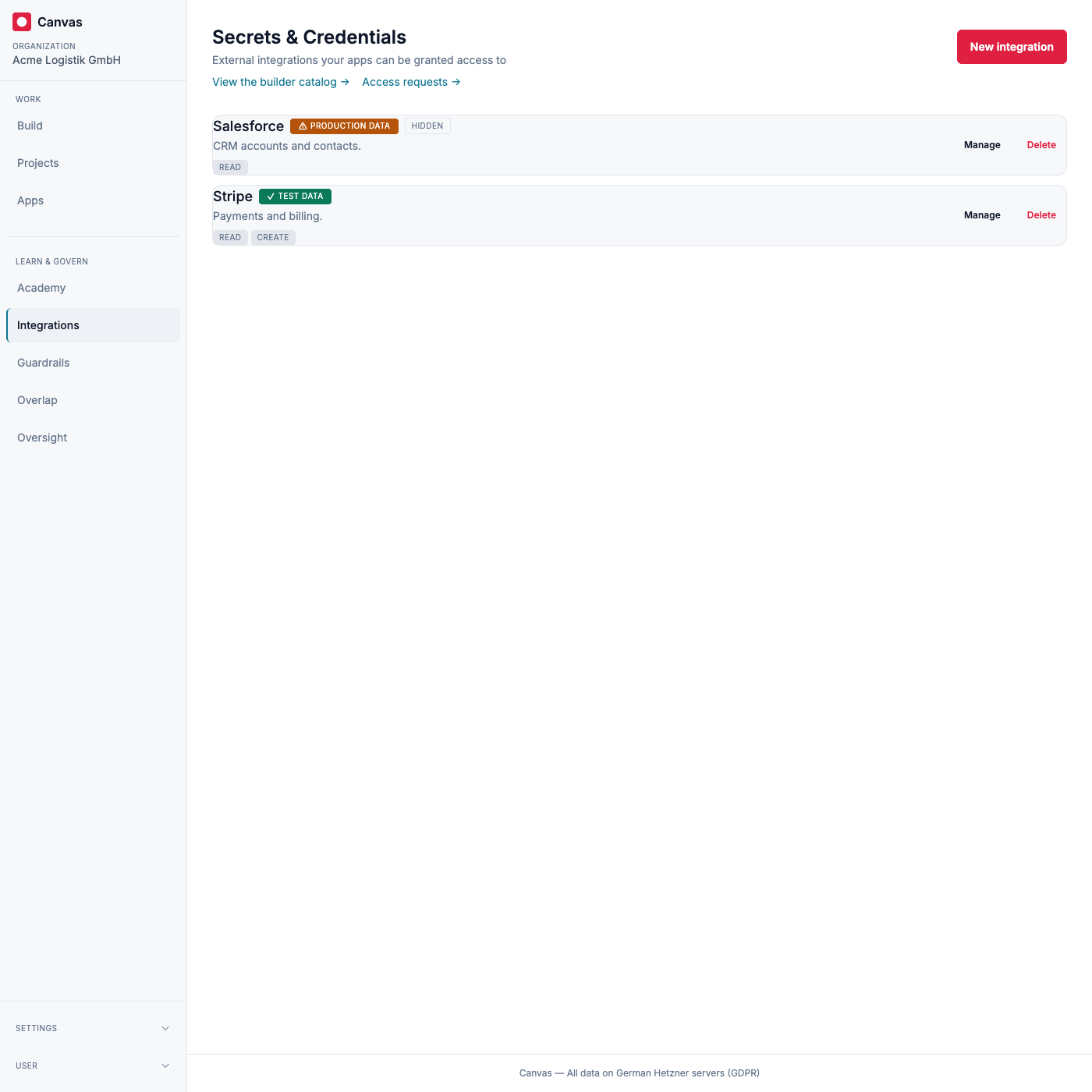
Create the integration
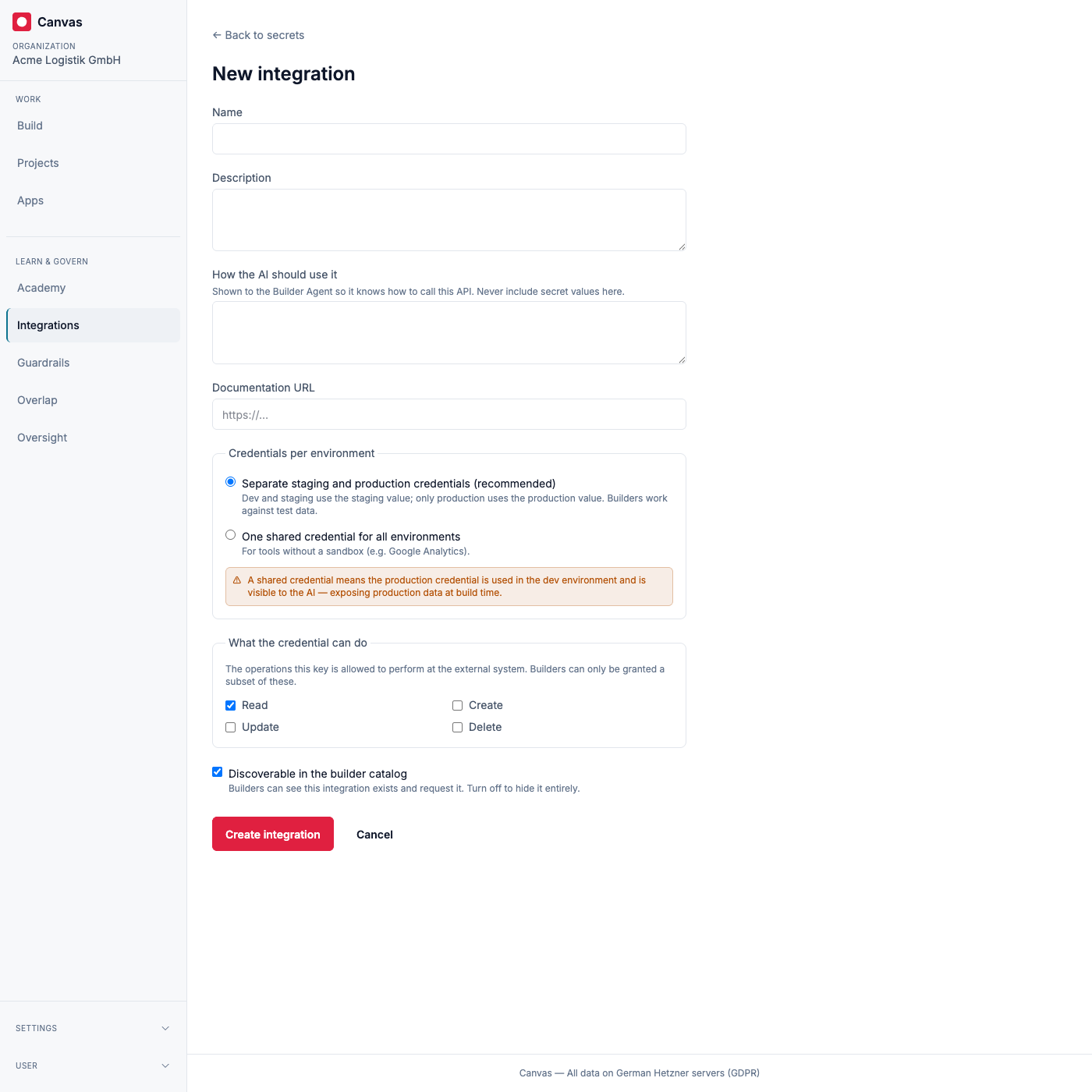
Section titled “Create the integration”Give it a name and description, and tell the AI how to use it. The “How the AI should use it” note is shown to the Builder Agent so it knows how to call the API. You never put secret values in that note.
Then choose how credentials map to environments:
- Separate staging and production credentials (recommended). Development and staging use the staging (test) value; only production uses the production value. Builders work against test data while they build.
- One shared credential for all environments. For tools without a sandbox (for example, Google Analytics). Be aware this means your development environment connects to the production system, so the Builder Agent works with production data while it builds (the credential value itself is never exposed to the agent). Canvas warns you when you pick this.
Finally, record what the credential is allowed to do, and whether builders may discover it in the catalog.
Add fields and set values
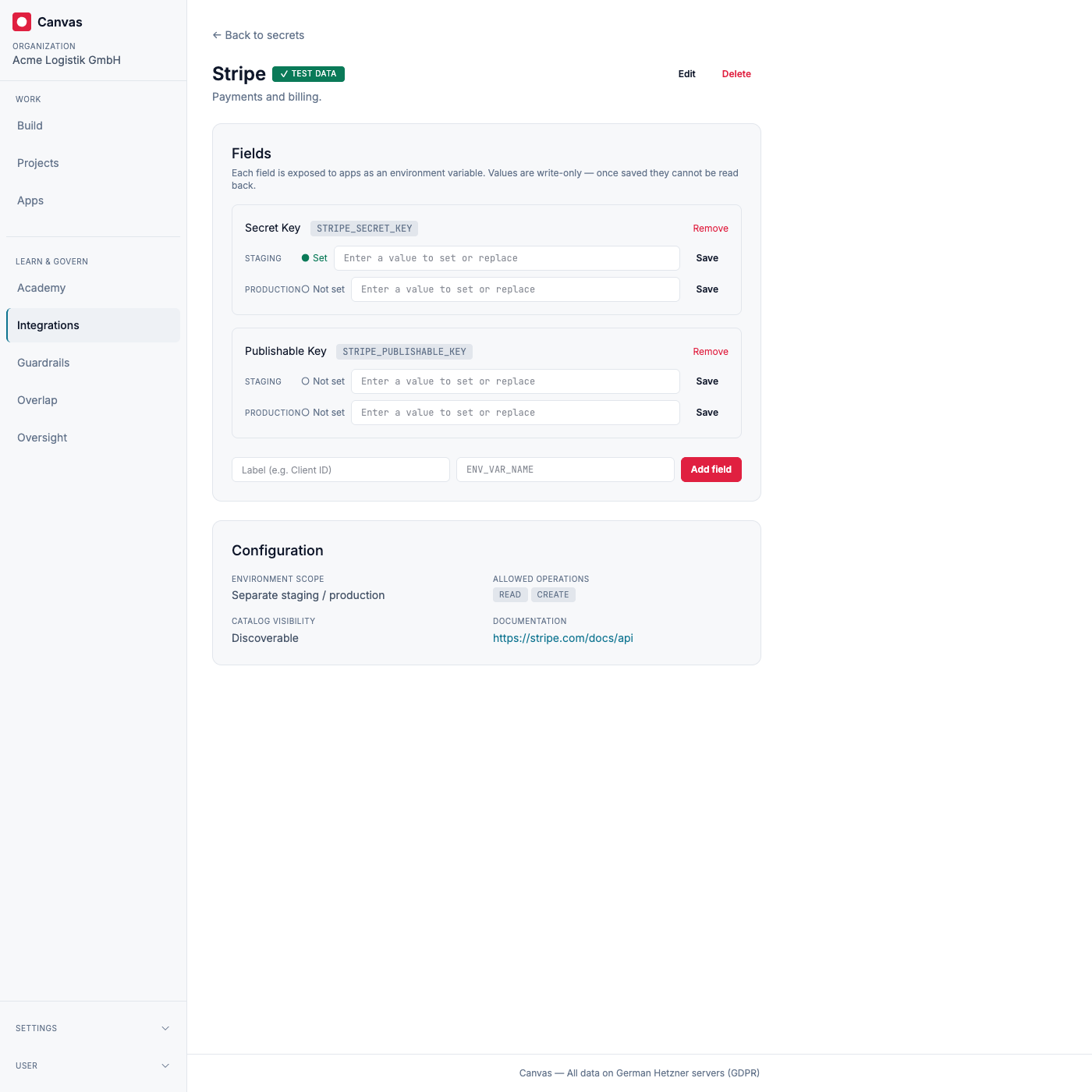
Section titled “Add fields and set values”An integration holds one or more fields, each mapped to an environment
variable name (uppercase, like STRIPE_SECRET_KEY). For every field you set a
value per environment. The indicator shows set or not set, never the
value, and the input only ever replaces a value, it never reveals one.
How builders request access
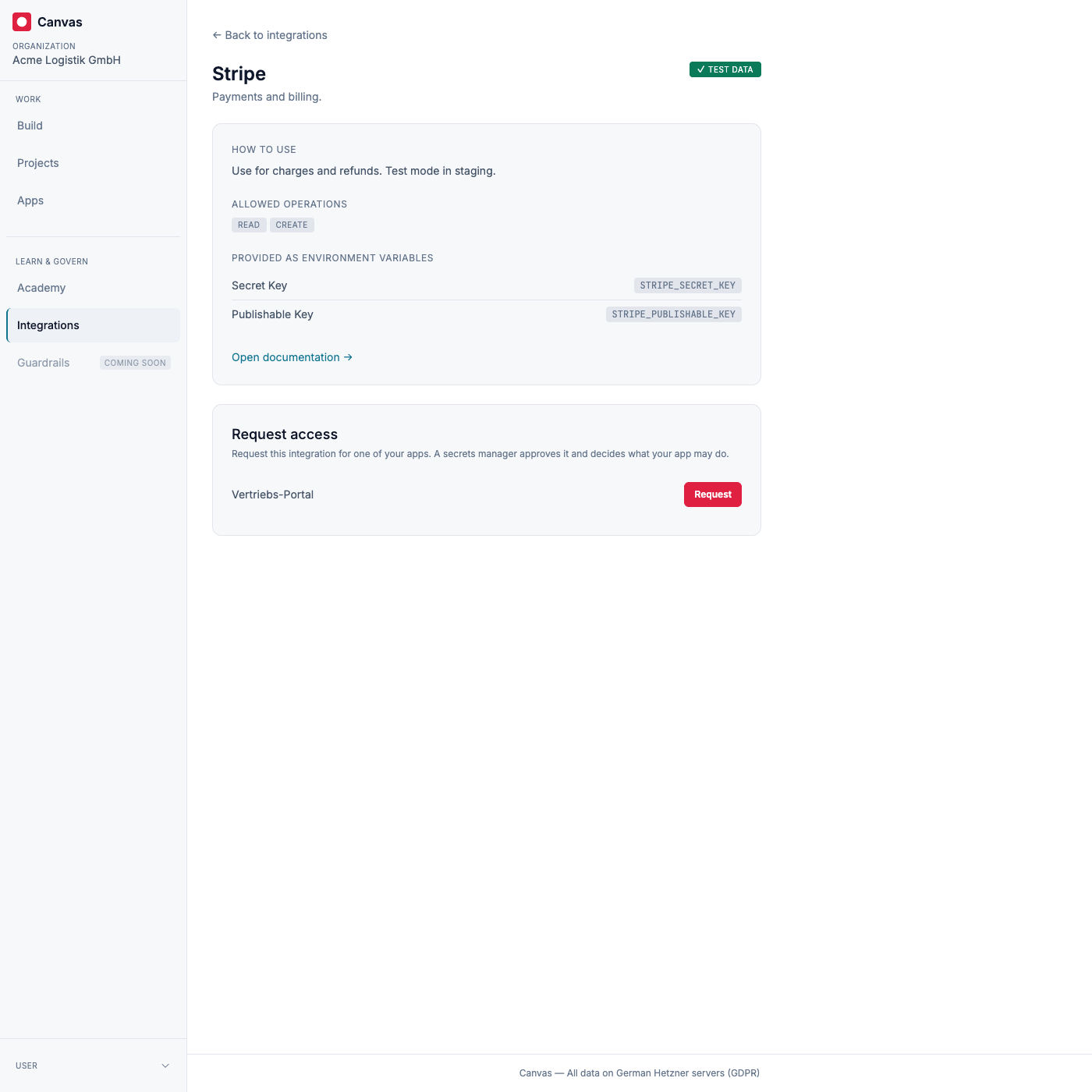
Section titled “How builders request access”Builders open Integrations and see the catalog of integrations you marked as discoverable, with each one’s allowed operations and its test or production badge. They never see the values.
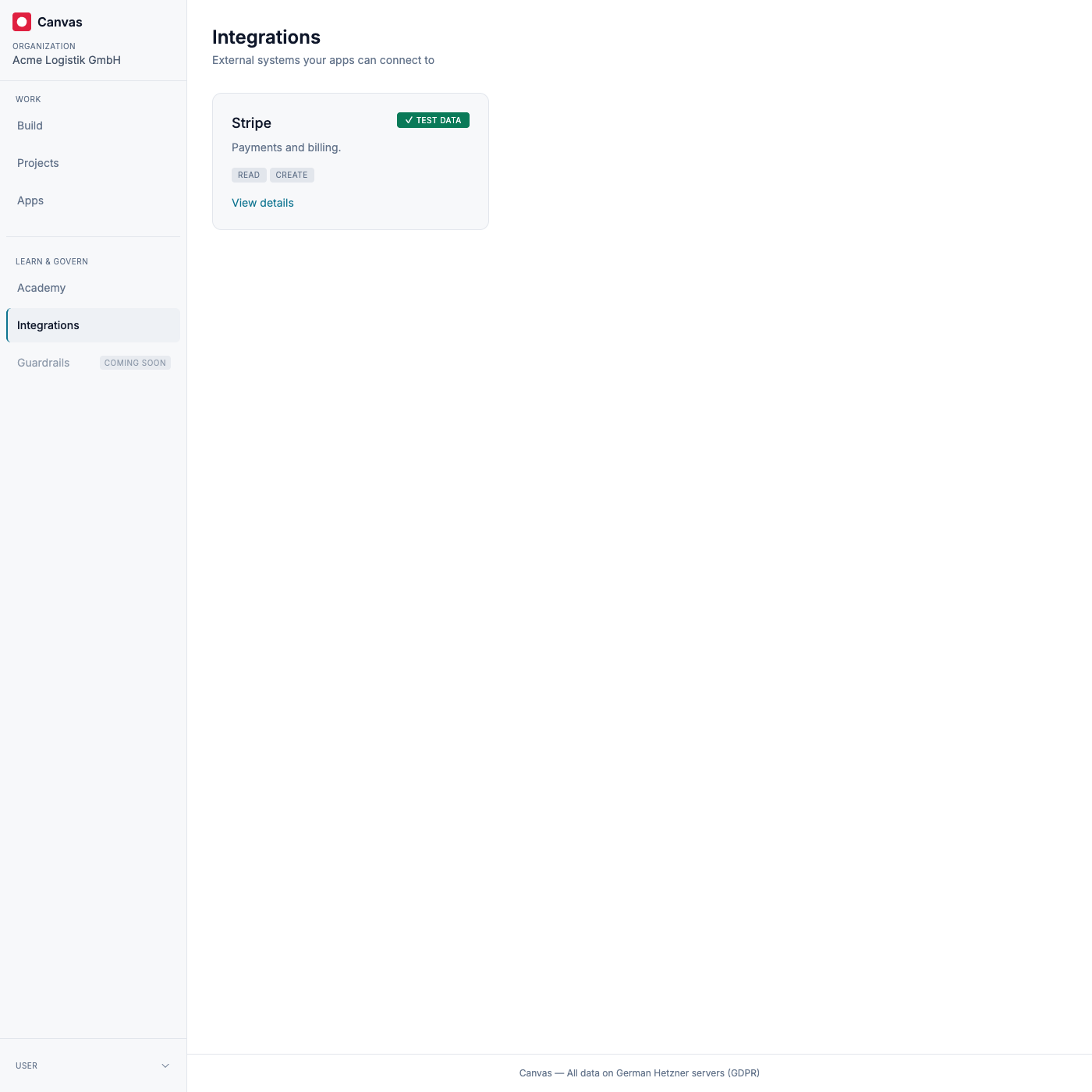
From an integration’s page, a builder requests access for one of their apps. The request waits for a secrets manager to approve it.
Approving access
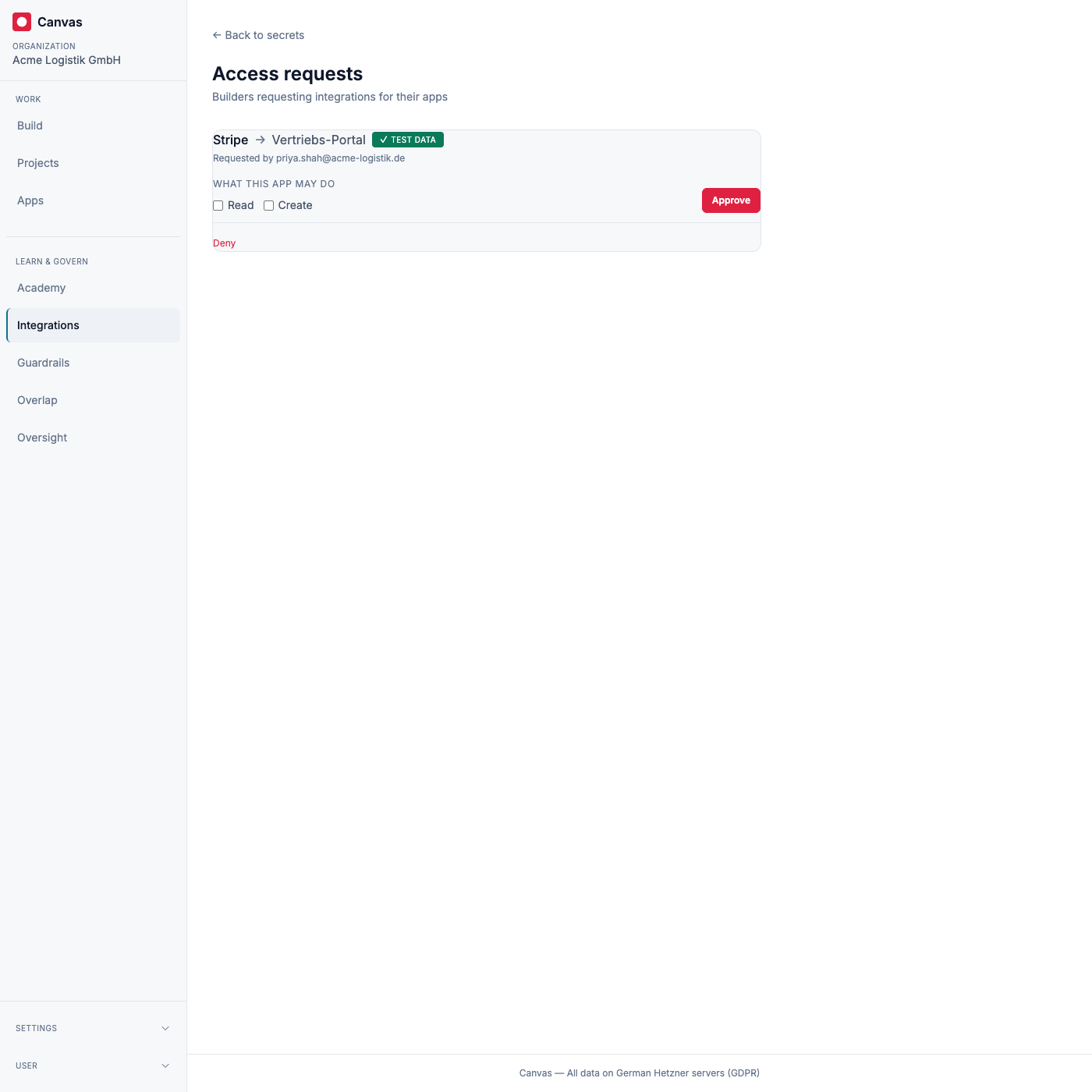
Section titled “Approving access”Secrets managers review pending requests under Access requests. For each one you choose which operations the app may perform (bounded by what the credential supports) and approve, or you deny the request. The requester is notified either way, and every decision is recorded in the audit trail.
How credentials reach your apps and the AI
Section titled “How credentials reach your apps and the AI”Once a request is approved, the integration’s fields are made available to that app as environment variables, following the scope you chose: the staging (test) value in development and staging, the production value only in production. The Builder Agent is told that the integration exists, along with your usage note, the environment variable names, and the operations the app may perform, so it can write code against the API. It is never given the values.
Security and where your data lives
Section titled “Security and where your data lives”Credential values are encrypted at rest and are write-only by design: no screen, export, or API ever returns them, and they are never sent to the AI. Every change to an integration, every value you set, and every access decision is written to the audit trail. As with everything on Canvas, this runs on servers in Germany and is handled in line with the GDPR.