AI models
Every app on Canvas is built by an AI Builder Agent. This guide is about which AI model each repository is set to use, how you control the models your organization allows, and how you keep models that handle personal data inside the EU.
In the product this lives under LLM Models. A smaller group of people (your guardrail managers) curate a set of default models available to every repository; builders choose one per repository and can request additional models, which a manager approves.
The ideas behind it
Section titled “The ideas behind it”- A curated catalog with a residency label. Each model carries a badge showing where it runs: Local DE (self-hosted in Germany), EU, or Third country (outside the EU). The label is always visible, so a choice is informed.
- Default models, available everywhere. Managers mark a set of models as defaults; every repository may use them without asking.
- Additional models on request. A builder can request a model that is not a default for one of their repositories. The request waits for a manager to approve or deny it.
- A safe default for personal data. For a repository that handles personal data, Canvas recommends a Local DE or EU model. A model outside the EU reaches such a repository only once a manager has approved it for that repository: the approval is the control.
- Everything is recorded. Setting defaults, requests, approvals, denials, and model changes are all written to the audit trail.
Curating the default set and approving requests requires the guardrail manager permission. Executives and Org Admins have it, and they can delegate it to a trusted person. See Identity and access for how permissions are granted.
Setting the default models
Section titled “Setting the default models”As a guardrail manager, open LLM Models to see the whole catalog with each model’s residency badge, and toggle which ones are defaults for your organization.
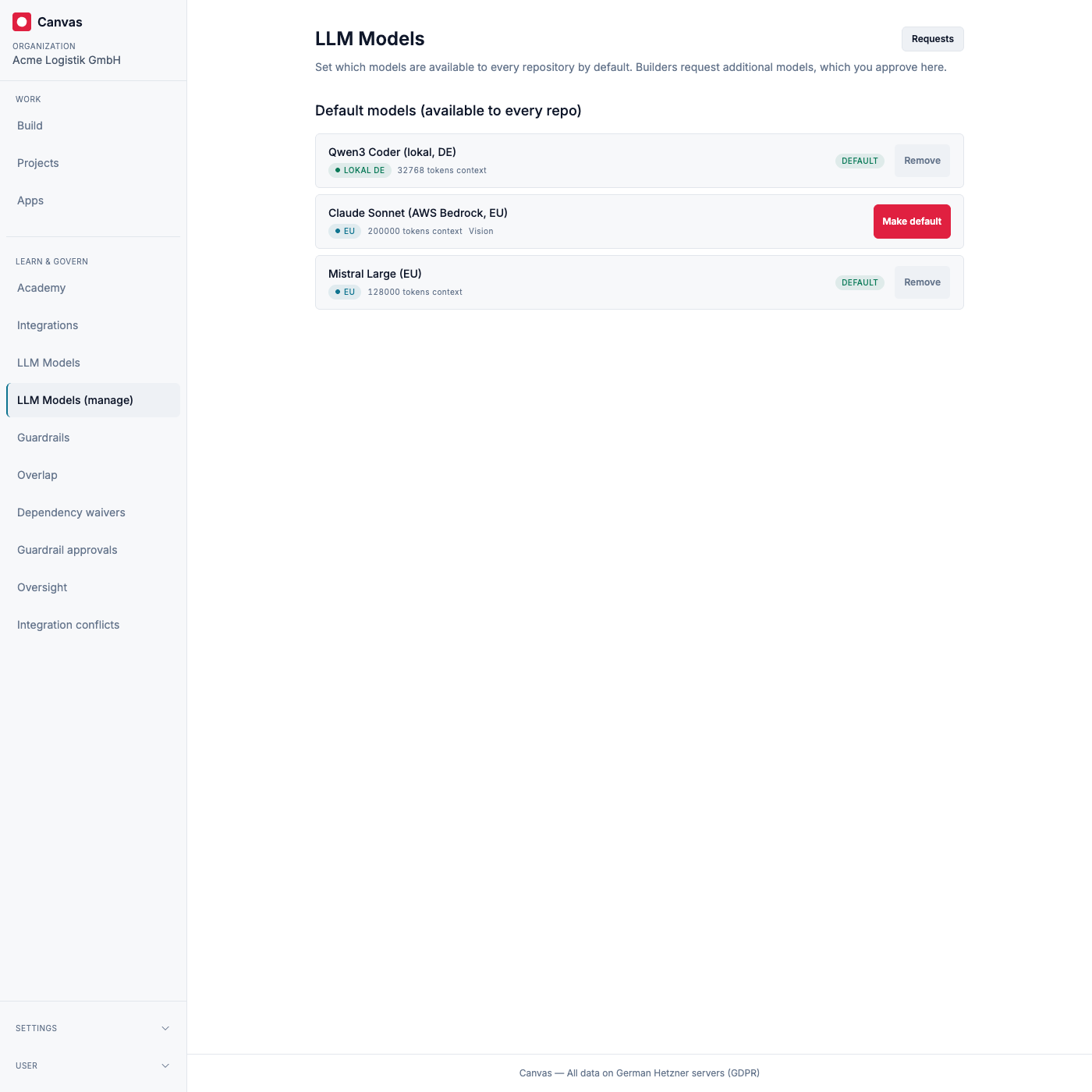
We recommend keeping the default set to Local DE and EU models, and letting builders request a third-country model per repository when they have a reason to, so the exception is deliberate and recorded.
Choosing a model for a repository
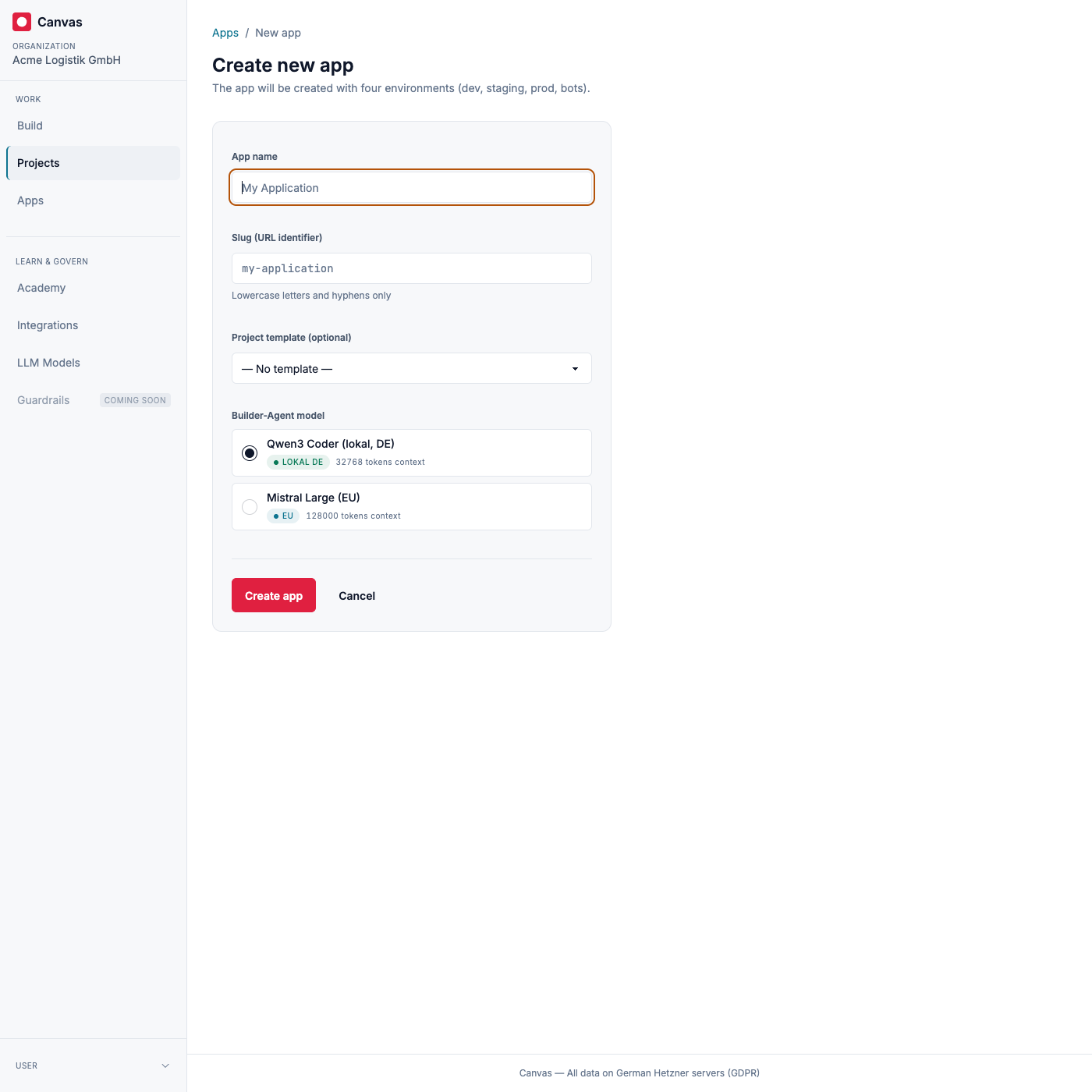
Section titled “Choosing a model for a repository”When a builder creates a new repository, they pick its model from the default set right on the creation form. The safe local model is preselected.
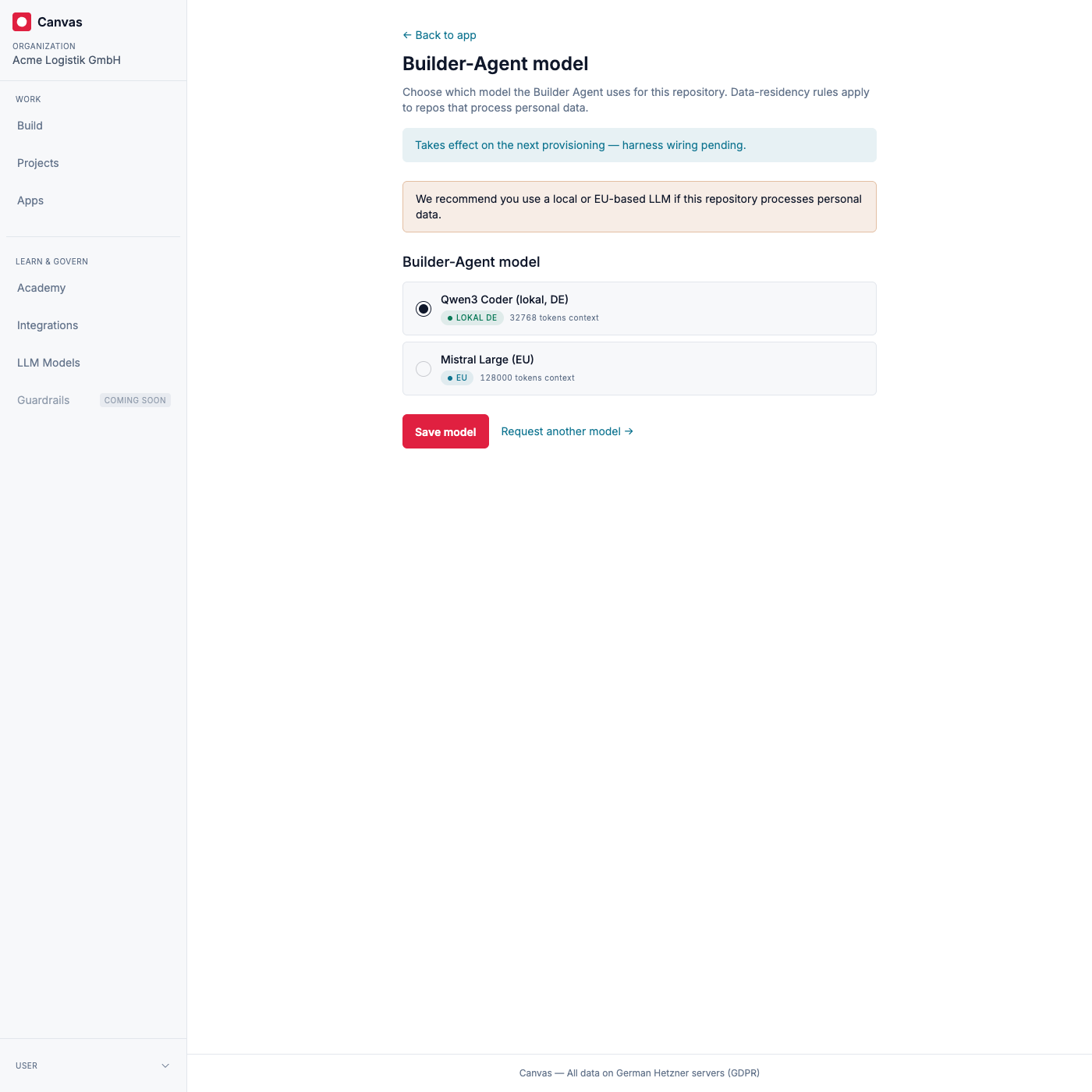
A builder can change a repository’s model at any time from LLM Models, choosing among the models available to that repository (the defaults, plus anything approved for it). For a repository that handles personal data, the local/EU recommendation is shown here.
Requesting an additional model
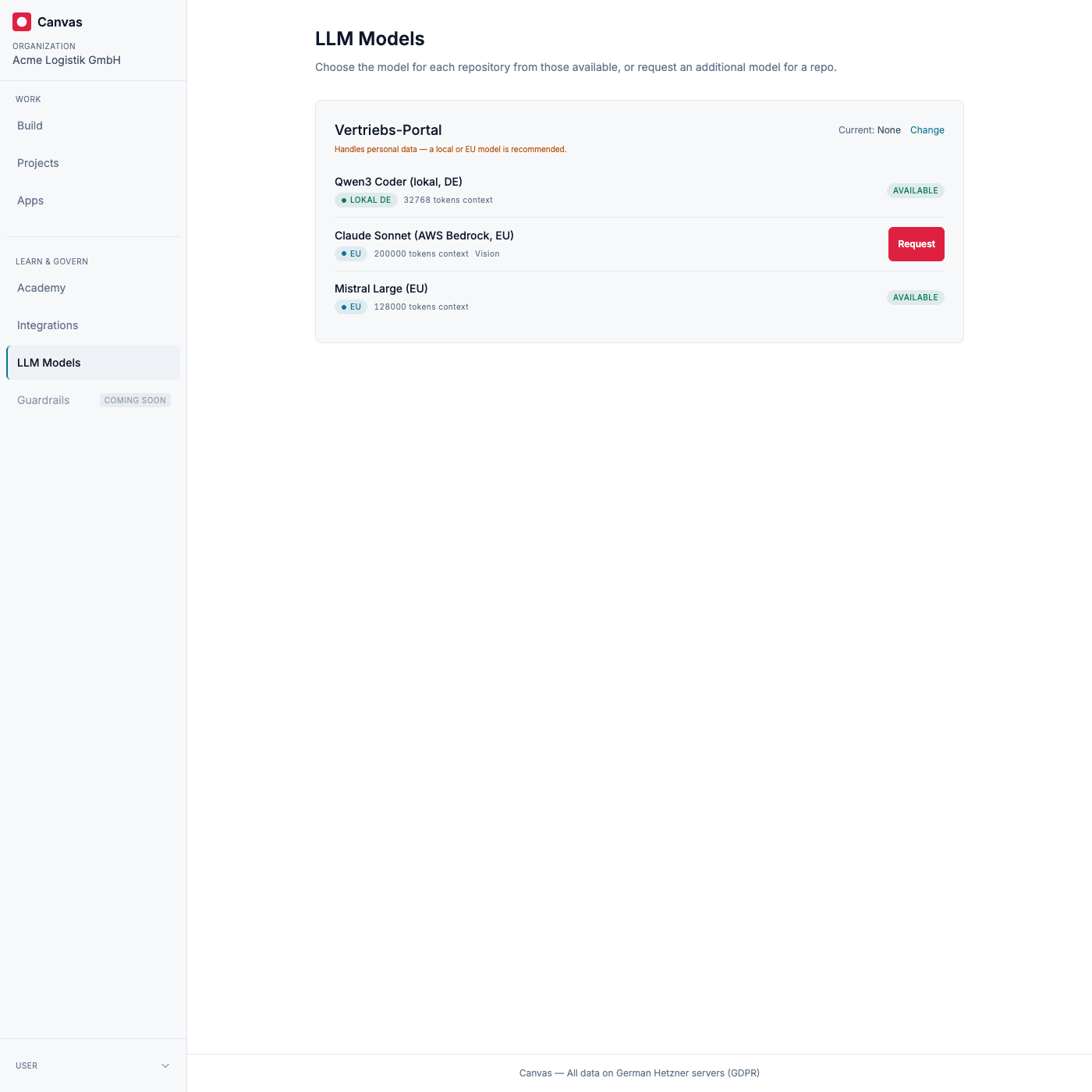
Section titled “Requesting an additional model”From LLM Models, a builder sees each of their repositories, its current model, and the catalog. For a model that is not yet available to a repository, they request it; the request’s status (pending, approved, or denied) is shown right there.
Approving requests
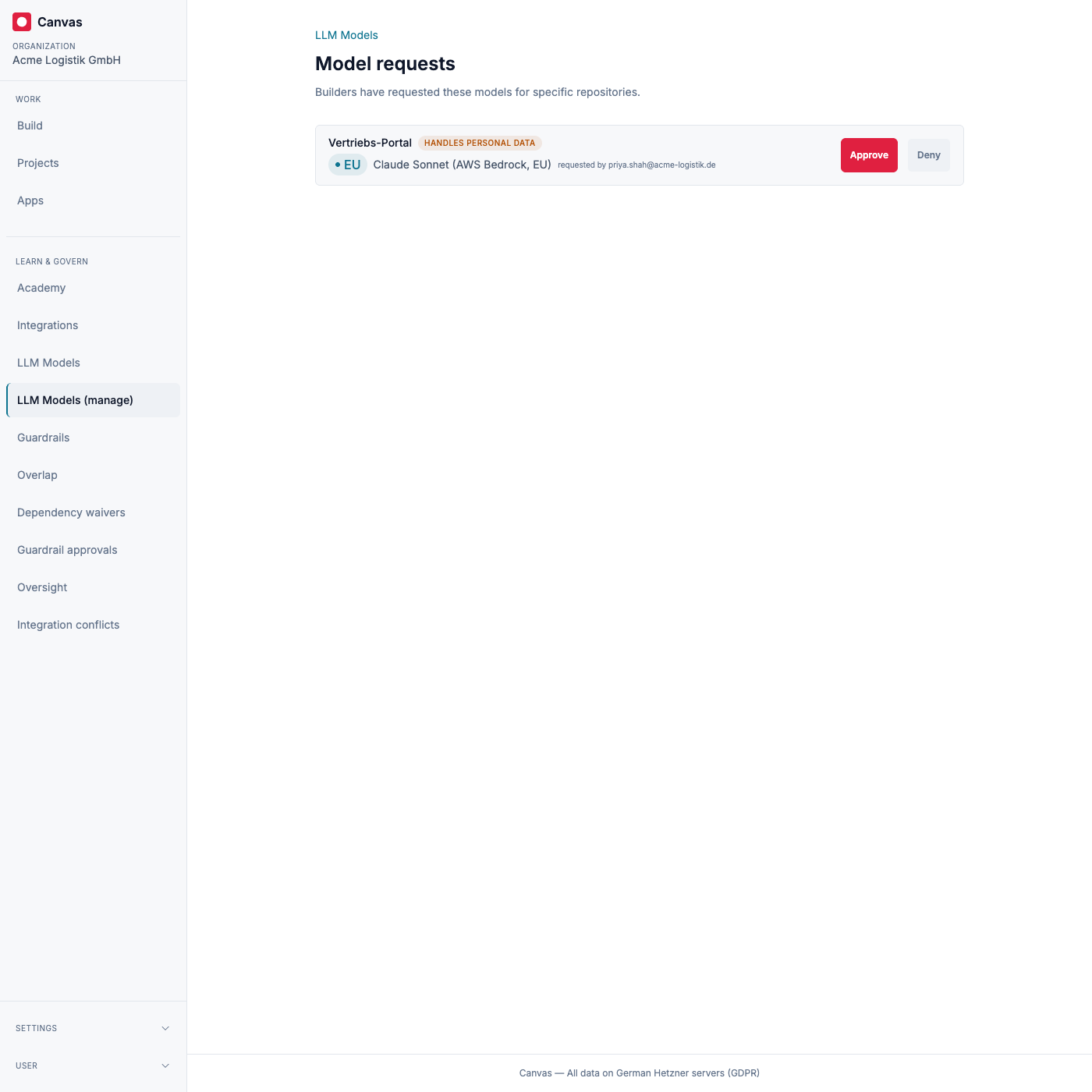
Section titled “Approving requests”Guardrail managers review pending requests under LLM Models, in Requests. Each request shows the repository, the model and its residency, who asked, and, where it matters most, a flag when the repository handles personal data, so the residency decision is made with that in view. You approve or deny; the requester is notified either way, and the decision is recorded.
Model choice and personal data
Section titled “Model choice and personal data”Canvas is arranged so that, by default, the models handling your data stay in the EU. The recommended default set is Local DE and EU models; a model outside the EU reaches a repository that handles personal data only after a manager has deliberately approved it for that repository, with the residency shown at the moment of the decision. As the controller, you make that call under the law that applies to you; Canvas’s role is to make the choice transparent, keep the safe option the default, and record what was decided.
Security and where your data lives
Section titled “Security and where your data lives”The default model for building is local and self-hosted in Germany. Which models your organization allows, which model each repository is set to use, and every request and approval are written to the audit trail. As with everything on Canvas, this runs on servers in Germany and is handled in line with the GDPR.
Data protection per model
Section titled “Data protection per model”The public Canvas Trust Center documents each catalog model in detail: exact version, provider and legal entity, route, data residency, training use, retention, human review, encryption, certifications, and sources. See Qwen (Local DE), Mistral (EU), and Claude via AWS Bedrock (EU).